
Ever wondered how long do security cameras keep footage before it’s erased?
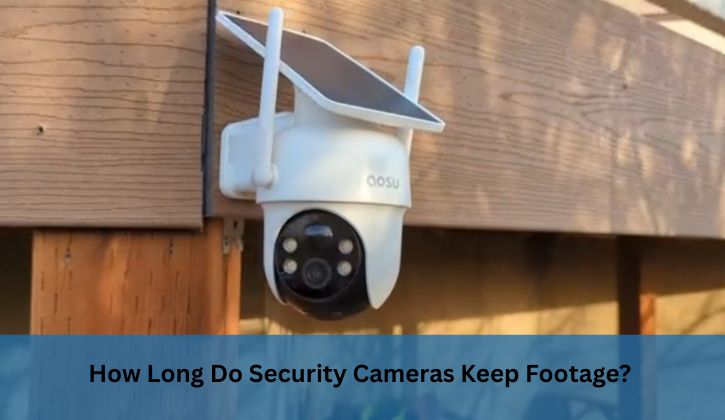
Whether you’re securing your home or business, understanding footage retention is vital for safety, legal compliance, and peace of mind. From cloud-based systems to local storage, retention periods vary widely based on camera type, settings, and regulations. This guide dives into the factors affecting storage duration, offers practical tips to extend it, and shares unique insights to help you optimize your surveillance system for reliable, long-lasting footage.
Understanding Security Camera Footage Retention
Security cameras are essential for monitoring homes, businesses, and public spaces, capturing everything from routine activities to critical incidents.
But how long does that recorded footage stick around?
The duration depends on the system’s storage capacity, recording settings, and specific needs, like legal compliance or incident investigation. Most cameras don’t keep footage indefinitely; instead, they use a loop system, overwriting older recordings when storage fills up. Knowing how long do security cameras keep footage helps you plan for evidence preservation or regulatory requirements.
How Security Cameras Store Footage
Security cameras use various storage methods:
- Local Storage: SD cards, hard drives, or Network Video Recorders (NVRs) store footage on-site. Capacities range from 32GB to multiple terabytes.
- Cloud Storage: Footage is uploaded to remote servers, offering scalability and remote access but often requiring subscriptions.
- Hybrid Systems: Combine local and cloud storage for flexibility, balancing cost and accessibility.
Each method impacts retention time. For example, a 128GB SD card might hold 10–12 days of 1080p footage, while a 1TB NVR can store weeks or months.
Why Retention Periods Matter
Retention periods determine how long you can access footage for reviewing incidents, like theft or accidents, or meeting legal mandates. Businesses in high-security sectors, like banks, may need footage for six months to a year, while home systems often suffice with 7–30 days. Insufficient retention can leave you without critical evidence, while excessive storage increases costs and data management challenges.
How Long Do Security Cameras Keep Footage?
Security cameras typically keep footage for 7–90 days, depending on storage type, capacity, and settings. Home systems often retain footage for 1–2 weeks on SD cards or 30 days with cloud storage. Businesses may store footage for 30–90 days, with high-security sectors like banks keeping it for 6 months to a year. Motion-activated recording and compression extend retention, while continuous high-resolution recording shortens it.
Learn More: Why Do You Need an SD Card for a Security Camera?
Factors Influencing Footage Retention
Several elements determine how long your security camera retains footage. Let’s break them down.
1. Storage Capacity
The amount of storage directly affects retention:
- SD Cards: 32GB–128GB cards hold days to weeks of footage, depending on resolution. A 64GB card might store 5–10 days of 1080p video.
- Hard Drives/NVRs: 1TB–16TB drives can store weeks to months. A 1TB drive holds about 30 days of 1080p continuous footage.
- Cloud Storage: Offers scalable storage, with retention periods (30–90 days) tied to subscription plans.
2. Recording Settings
Recording modes impact storage use:
- Continuous Recording: Captures 24/7, filling storage quickly. A 4K camera might fill a 1TB drive in 5–7 days.
- Motion-Activated: Records only when motion is detected, extending retention. For example, motion-based recording can double storage duration compared to continuous mode.
- Scheduled Recording: Limits recording to specific times, like nighttime, saving space.
3. Video Quality and Compression
Higher resolutions (e.g., 4K vs. 1080p) and frame rates (30 fps vs. 15 fps) create larger files, reducing retention. Compression algorithms, like H.265, shrink file sizes without sacrificing quality, potentially extending storage by 30–50%. For instance, a 1080p camera with H.265 can store twice as much footage as one using older H.264 compression.
4. Number of Cameras
Multiple cameras increase data volume. A system with 10 cameras generates 10 times the data of a single camera, requiring larger storage or shorter retention periods. Businesses with extensive setups often use NVRs or cloud solutions to manage this.
5. Legal and Industry Requirements
Regulations vary by sector and region:
- Retail: Typically 30–90 days to cover theft or liability issues.
- Banks/Financial Institutions: Often 6 months to 1 year for fraud investigations.
- Healthcare: 30–90 days, influenced by privacy laws like HIPAA.
- Casinos: Up to a year in some jurisdictions to monitor gaming compliance.
Check local laws, as some regions mandate minimum retention periods, while others, like GDPR in Europe, limit storage to avoid privacy violations.
Strategies to Extend Footage Retention
Want to keep footage longer without breaking the bank? Try these practical approaches:
Optimize Recording Settings
- Use Motion Detection: Record only when activity occurs, saving 50–70% of storage compared to continuous recording.
- Schedule Recordings: Limit recording to high-risk times, like after business hours, to reduce data.
- Lower Resolution/Frame Rate: Dropping from 4K to 1080p or 30 fps to 15 fps can double or triple retention time.
Upgrade Storage Capacity
- Larger SD Cards or Drives: Upgrade to a 256一口512GB SD card or a 4TB–16TB NVR for months of storage.
- Cloud Subscriptions: Choose plans with longer retention (e.g., 60–90 days) for scalability.
- External Backups: Manually save critical footage to external drives or cloud services for indefinite storage.
Leverage Advanced Technology
- AI-Powered Compression: Systems with AI can prioritize relevant footage, reducing storage needs by up to 40%.
- Smart Motion Detection: Advanced cameras filter out irrelevant motion (e.g., trees swaying), saving space.
- Hybrid Storage: Store short-term footage locally and archive critical clips to the cloud for long-term access.
Regular Maintenance
- Review Footage: Regularly check and export important clips to avoid overwriting.
- Update Firmware: Ensure cameras and storage devices run the latest software for optimal compression and performance.
- Monitor Storage Health: Replace aging SD cards or drives to prevent data loss.
Unique Insights for Maximizing Footage Retention
Here are some lesser-known tips to enhance your security camera system:
- Edge Storage with AI: Some cameras store processed data (e.g., metadata like license plates or faces) instead of raw video, reducing storage needs by up to 60% while retaining key details.
- Dynamic Bitrate Control: Advanced systems adjust bitrate based on scene complexity, saving space during low-activity periods.
- Off-Peak Cloud Uploads: Schedule cloud uploads during low-bandwidth hours to avoid network congestion and ensure reliable backups.
- Tamper-Proof Storage: Use encrypted cloud storage or off-site NVRs to protect footage from theft or damage, critical for high-security environments.
- Retention Audits: Periodically assess your retention needs based on incident frequency. For example, a quiet residential setup may need only 14 days, while a busy retail store might require 60.
FAQs About Security Camera Footage Retention
How Does Storage Type Affect Footage Retention?
Storage type significantly impacts how long security cameras keep footage. SD cards (32GB–128GB) typically hold 5–15 days of 1080p footage, ideal for home use but limited for long-term needs. NVRs or hard drives (1TB–16TB) can store weeks to months, suiting businesses. Cloud storage offers 30–90 days, scalable with subscriptions, but costs recur. Hybrid systems balance local and cloud storage for flexibility. To extend retention, use motion detection and compression (e.g., H.265) to save space, and back up critical clips to external drives for indefinite storage.
Can I Recover Overwritten Security Camera Footage?
Once footage is overwritten, it’s usually unrecoverable unless backed up elsewhere. Most systems use loop recording, erasing the oldest files when storage is full. To prevent loss, export important clips to a computer, external drive, or cloud before they’re overwritten.
Some advanced systems offer “locked” footage features, preventing overwriting of flagged events. Regular reviews and larger storage (e.g., 4TB NVR or cloud plans) help. If footage is critical, consider off-site backups or consult a data recovery specialist, though success isn’t guaranteed.
Do Legal Requirements Mandate Specific Retention Periods?
Legal requirements for footage retention vary by industry and region. Banks often need 6 months to 1 year for fraud investigations, while retail stores typically keep 30–90 days for theft or liability. Healthcare facilities may require 30–90 days under privacy laws like HIPAA.
In Europe, GDPR limits retention to what’s necessary, often 30 days unless justified. Check local regulations to ensure compliance, and consult legal experts for specific mandates. Non-compliance can lead to fines or legal issues, so align storage with your sector’s rules.
How Can I Extend Footage Retention Without Extra Costs?
To extend retention affordably, optimize settings: use motion-activated recording to cut storage use by 50–70%, lower resolution (e.g., 720p vs. 4K), and reduce frame rates (15 fps vs. 30 fps). Schedule recordings for high-risk times, like overnight, to save space. Use H.265 compression for up to 50% better efficiency. Regularly export critical clips to free cloud services or external drives. Upgrade to a larger SD card (e.g., 256GB) for a one-time cost, avoiding pricier cloud subscriptions.
What Happens to Footage After the Retention Period?
After the retention period, most security cameras overwrite old footage in a loop system to make room for new recordings. Cloud systems may delete expired footage based on subscription plans (e.g., 30 days). To preserve important clips, manually back them up to a computer, external drive, or cloud before they’re erased. Some systems allow “locking” key footage to prevent overwriting. Regular reviews ensure you save critical evidence. If footage is needed for legal purposes, export it immediately to avoid loss.
Conclusion
Knowing how long do security cameras keep footage is essential for effective surveillance. Most systems retain footage for 7–90 days, with home setups lasting 1–2 weeks and businesses up to a year, depending on storage and regulations. By optimizing settings, using compression, and choosing the right storage, you can extend retention to meet your needs. Stay proactive with backups and maintenance to ensure your footage is always available for safety and compliance.